SCHEMATIC · PCB · PROJECT-AWARE AI
Build the circuit.
Keep the judgment.
Native schematic and PCB design, with project-aware AI alongside it. Plan the work, inspect the candidate, and decide what reaches your files.
Windows x64 · Linux AMD64 & ARM64 Check your version and OS
Schematics, boards and libraries in your project—not trapped in a chat.
Inspect the Plan, actual tool outcomes and the isolated candidate.
Named revisions, explicit Apply and recovery when a change needs undoing.

DESIGNED AROUND THE CIRCUIT
The whole project.
Not just the prompt.
Work in compatible KiCad files, with the schematic, board and local libraries together. Use real engineering checks and export the files your next step needs.
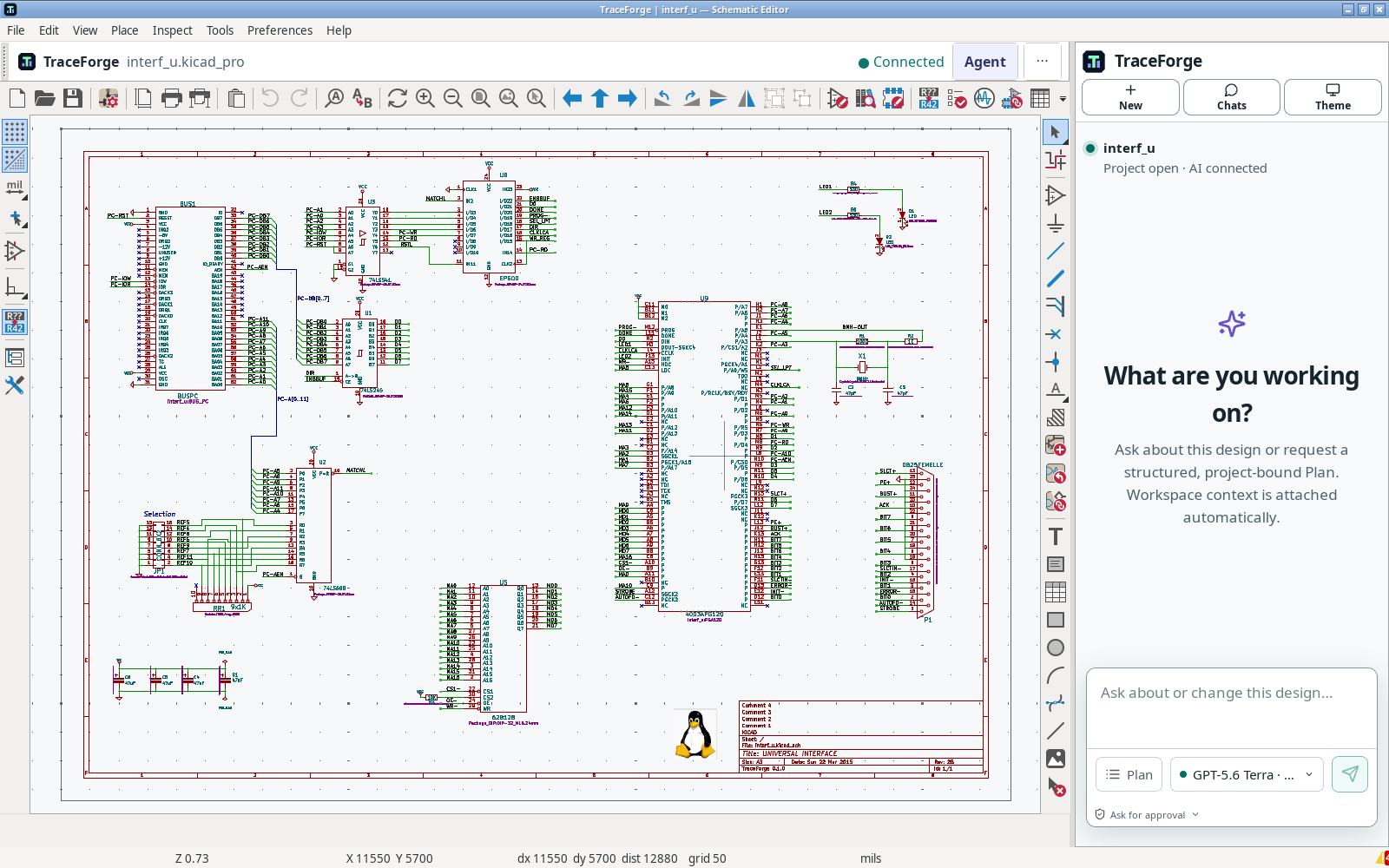
Schematic & PCB
Work with nets, components, footprints and the files behind the drawing.
Projects and libraries ↗02 / PLANA scoped next step
Resolve questions, choose context and agree on the work before editing.
Planning with the Agent ↗03 / CHECKEvidence, not a claim
Read ERC/DRC findings and inspect the actual revision before exporting.
Checks and fabrication exports ↗02 / THE REVIEW
Not just “done.”
Show me the change.
Compare supported objects and before/after values. Keep candidate work separate from your trusted project until you explicitly Apply it.
R5 / Value331330
Prepared 0.1.6 preview · not the current 0.1.5 download.
Review, Apply and recover →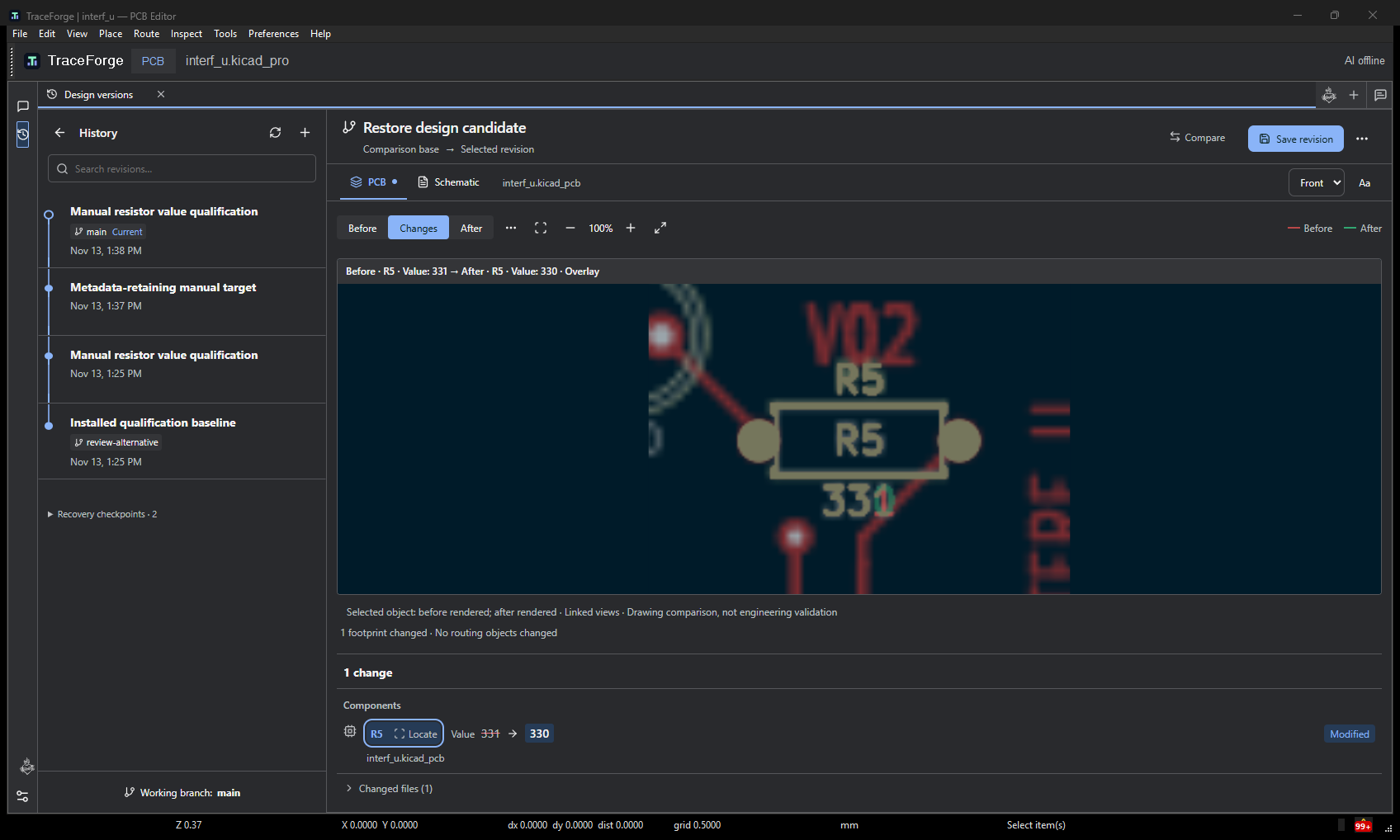
CLEAR BOUNDARIES
Your files. Your permissions.
Your final decision.
Read the security and data boundaries →- Local engineering work
- Project editing and configured engineering checks run locally. Keep project backups outside the application folder.
- Connected AI, when you use it
- Relevant prompts and project context may reach the selected provider. Account, entitlement and usage limits apply; BYOK is not offline inference.
- Checks are not certification
- ERC, DRC and previews describe their actual inputs and rules. Local validation does not certify a design. Human review, manufacturability and physical testing remain your responsibility.
START SMALL. KEEP THE ORIGINAL.
First project.
First useful change.
Learn the workspace on a copy of the included KiCad example. No paid AI turn is needed for the manual tutorial.
Get the practice project ↓- 01
Open a project copy
Resolve its symbols and footprints, then find your way from schematic to board.
Your first project → - 02
Make a small, reversible edit
Save, close and reopen. Read the baseline checks before changing the circuit.
Understand the findings → - 03
Try the review path
When AI access is configured, request a bounded candidate. Compare it before deciding.
Permissions and candidates →
Can I work without AI?
Yes. Native project editing is separate from connected, entitled AI access. Start with the manual tutorial; a private developer account is not required.
Which system and version should I use?
Choose only the signed files currently listed on Downloads. Public 0.1.5 targets Windows 11 x64 and Ubuntu 26.04 AMD64/ARM64; its ARM64 portable payload needs glibc 2.43. Prepared 0.1.6 has a different Ubuntu 24.04/26.04 package target and is not published by this redesign. See exact compatibility.
What happens to my files when I update or leave?
Keep projects outside the app directory. Save before updating, retain a verified predecessor for rollback, and back up before uninstalling. Uninstalling an app does not cancel a subscription. Installation, update and removal.
What is included in the price?
Consult the current plans, entitlements and usage terms before subscribing. Local editing, managed AI allowances and provider-paid BYOK are different things. Plans and usage details.
Which languages can I use?
The app interface supports English, Spanish, French and German. This website is currently in English. Technical filenames, code and customer documents are not translated automatically.

YOUR NEXT CIRCUIT STARTS HERE